Home > Blogs > ServiceNow > ServiceNow vs. Salesforce: Complete Comparison Guide for 2025

Practice Head
March 6, 2025

Table of Contents
In today’s fast-changing enterprise software landscape, choosing the right platform for your business can be a difficult decision. Two of the most well-known names in this space—Salesforce vs. ServiceNow—often come up when organizations are evaluating options. Both platforms offer strong cloud-based solutions, but they serve different business needs.
As we move into 2025, it’s important to understand the differences between these two platforms to make the best decision for your organization. Whether you’re considering Salesforce vs. ServiceNow for customer relationship management (CRM), IT service management (ITSM), or broader enterprise functions, this guide will help you evaluate which one fits your goals.

What is ServiceNow?
ServiceNow is a cloud platform best known for its IT service management (ITSM) capabilities. It helps businesses automate workflows, improve internal processes, and deliver services more efficiently. Over time, ServiceNow has expanded into areas like IT operations (ITOM), customer service (CSM), and human resources (HRSD).
Key Features of ServiceNow:
- IT Service Management (ITSM): ServiceNow ITSM module’s Core features like incident, problem, and change management help IT teams resolve issues faster and improve service delivery.
- IT Operations Management (ITOM): ServiceNow ITOM module helps monitor and manage IT infrastructure to ensure performance and reduce downtime.
- Customer Service Management (CSM): The ServiceNow CSM module treamlines customer service by centralizing inquiries, complaints, and feedback.
- Workflow Automation: ServiceNow’s workflow automation (for example: ServiceNow HRSD) allow companies to automate repetitive tasks, reducing manual work and boosting efficiency.
- AI-powered analytics and insights: ServiceNow AI agents uses artificial intelligence to provide analytics, helping businesses make data-driven decisions and predict issues before they occur.
ServiceNow Consulting Solutions by Royal Cyber
At Royal Cyber, we help organizations unlock new levels of innovation, operational efficiency, and exceptional user experiences through our customized ServiceNow consulting solutions.
Here’s a look at some of our key solutions designed to supercharge your ServiceNow environment:
- Catalog Compliance Checker: Automates compliance checks, detects non-standard catalog items, and ensures consistent design across your ServiceNow service catalog, learn more.
- Catalog IQ: Delivers actionable insights to optimize resource allocation, improve service catalog performance, and enhance operational efficiency, learn more.
- Catalog Pulse: Captures real-time feedback, supports instant issue resolution, and boosts user satisfaction within your service catalog, learn more.
- Agile Story Monitor: Tracks agile story progress, identifies bottlenecks, and generates automated reports to accelerate delivery and support data-driven decisions, learn more.
- Domain Search Central: Simplifies domain name searches with intelligent suggestions and seamless integration into your ServiceNow environment, learn more.
- WinOps Pro: Automates Windows tasks, ensures compliance, and streamlines operations for ServiceNow applications running on Windows platforms, learn more.
What is Salesforce?
Salesforce is a global leader in CRM software. It offers tools for sales, marketing, customer service, and analytics—all aimed at helping businesses build strong customer relationships. The Salesforce ecosystem includes a wide range of products such as Sales Cloud, Service Cloud, Marketing Cloud, and Commerce Cloud.
Key Features of Salesforce:
- Sales and Lead Management: Sales Cloud helps manage leads, opportunities, and sales pipelines. Features like Einstein AI provide smart recommendations and predictive insights.
- Marketing Automation: Salesforce B2B Commerce helps create targeted marketing campaigns, track customer engagement, and measure campaign results.
- Customer Service and Support: With tools like Salesforce CRM, Salesforce improves the customer service experience by case management, multichannel support, and self-service portals.
- Analytics and Reporting: Salesforce offers powerful analytics tools that give insights into customer behavior, sales performance, and marketing ROI.
- AppExchange for third-party integrations: Salesforce’s AppExchange allows businesses to integrate with thousands of third-party apps, offering flexibility to meet different business needs.
Salesforce LINK Cartridges/Solutions by Royal Cyber
Leverage Royal Cyber’s custom-built Salesforce Commerce Cloud accelerators to boost performance, engagement, and conversion across your digital storefront.
- Page Designer Plus: Create dynamic storefront pages with drag-and-drop widgets, offering broad customization options and enhanced design flexibility, learn more.
- On-Demand Sandbox: Manage on-demand sandboxes with advanced visual dashboards, ensuring clear visibility into usage and operational performance, learn more.
- Save for Later: Improve cart page functionality to let customers save items, enhancing shopping continuity and increasing engagement, learn more.
- Product 360 View: Deliver an immersive product viewing experience with 360-degree rotation and high-quality zoom using standard 2D images, learn more.
- E-Gift Certificate: Let customers purchase digital gift cards, helping businesses drive revenue, customer satisfaction, and repeat sales, learn more.
- Cart Sharing: Enable shoppers to share their carts effortlessly, making the path to purchase more collaborative while ensuring data privacy, learn more.
- Marketplaces: Centralize order, inventory, and customer data management for seamless marketplace operations and improved buyer-seller connections, learn more.
- 3D Configurator: Empower customers to personalize and visualize products in real time using a user-friendly 3D product configurator, learn more.
- Live Streaming: Offer engaging live and on-demand video experiences, building community and enhancing product storytelling, learn more.
Choose the Best Fit for Your Business
There’s no universal answer in the ServiceNow vs. Salesforce debate—each platform brings its own strengths. If your focus is on customer relationships, sales, and marketing, Salesforce might be the better fit. However, if your business needs strong IT service management and workflow automation, ServiceNow is likely the right choice.
In 2025, the choice between ServiceNow and Salesforce could be more crucial than ever. Ensure you have the proper know-how and assistance to make a quality choice for your organization!
At Royal Cyber, we specialize in helping businesses make these important decisions. Whether you’re looking for ServiceNow consulting or Salesforce consulting, our experts are ready to assist you. Schedule a free consultation today and let us know how we can reap your business desires.
Frequently Asked Questions
1- What is Salesforce Implementation?
Salesforce implementation is the process of setting up and configuring Salesforce CRM to meet a business’s specific needs. It includes planning, customization, data migration, integration, user training, and deployment.
2- What are the key steps in Salesforce Implementation?
The key steps include:
- Requirement Analysis – Understanding business needs.
- System Configuration – Customizing Salesforce features.
- Data Migration – Transferring existing data into Salesforce.
- Integration – Connecting Salesforce with other tools.
- User Training & Testing – Ensuring smooth adoption.
- Go-Live & Support – Launching and maintaining the system.
3- What is Salesforce Migration?
Salesforce migration refers to transferring data, configurations, and workflows from an old CRM (or legacy system) to Salesforce. It ensures seamless business continuity with minimal downtime.
4- What are the challenges in Salesforce Migration?
Common challenges include:
- Data Quality Issues – Incomplete or duplicate data.
- Integration Complexities – Legacy system compatibility.
- User Adoption – Resistance to change.
- Downtime Risks – Business disruption during migration.
5- How long does Salesforce Implementation take?
The timeline depends on business complexity, but a typical implementation takes 4–12 weeks. Enterprise-level deployments may take longer.
6- What is the difference between Salesforce Implementation and Migration?
- Implementation involves setting up Salesforce from scratch.
- Migration focuses on moving data from an existing system to Salesforce.
7- What tools are used for Salesforce Migration?
Popular tools include:
- Salesforce Data Loader (for bulk data import/export).
- Informatica Cloud (for ETL processes).
- MuleSoft (for API-based integrations).
Author
Numra Haroon
 Websites used to be something you built once and basically forgot about. That doesn’t work …Read More »
- Websites used to be something you built once and basically forgot about. That doesn’t work …Read More »
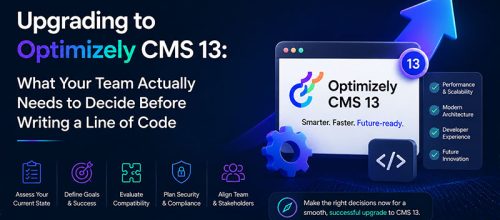
- Learn how to plan an Optimizely CMS 13 upgrade with .NET 10, Optimizely Graph, Visual …Read More »