
Home > Blogs > Middleware > Copilot in Azure Logic Apps: From Prompt to Production Workflow
June 4, 2026
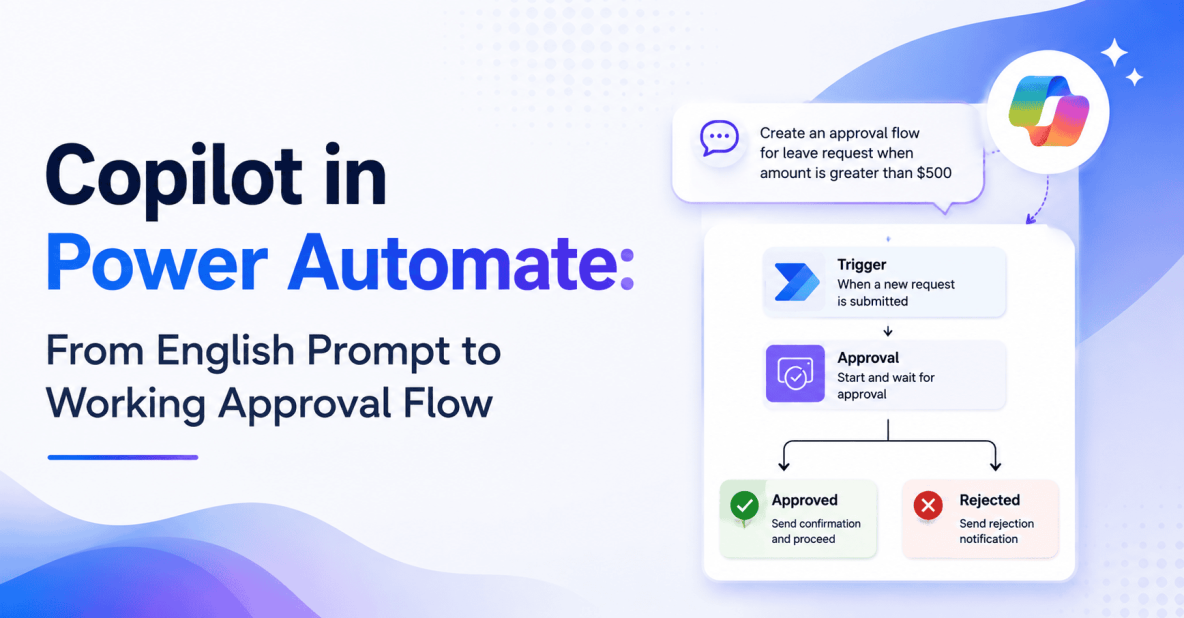
Microsoft’s Copilot for the Logic Apps designer hit general availability in March 2026. It’s the biggest change to the designer since Logic Apps Standard shipped. You describe what you want in plain English, and Copilot builds it: triggers, actions, connections, and expressions. We’ve now put Copilot-generated Logic Apps in front of about a dozen Royal Cyber customers, and this piece is the honest account of what we’ve learned: what works, what still needs a human, and how to keep Copilot useful without letting unreviewed workflows reach production.
Royal Cyber has been building Azure integration solutions for enterprise customers since before Logic Apps Standard existed. Our integration practice has delivered hundreds of production Logic Apps across retail, manufacturing, healthcare, and financial services, and we now embed Copilot into that practice as a force multiplier, not a replacement for engineering judgment.
What Copilot can actually do today
Copilot supports a wide range of natural-language inputs, but three prompt patterns do most of the work:
- End-to-end workflow generation. Hand Copilot a paragraph of business description and it builds the entire flow.
- In-flow action suggestion. With a workflow already open, ask for the next step and Copilot proposes it in context.
- Expression authoring. Describe the transformation in plain English and Copilot drafts the expression. This has always been the part of Logic Apps that newcomers struggle with, and it’s where Copilot saves the most time.
And it isn’t producing skeleton code or empty placeholders. Copilot delivers:
- Real triggers (HTTP, Service Bus, Event Grid, recurrence) and actions across every built-in connector and most managed ones with available metadata.
- Conditions and switches handled correctly the first time.
- Schema-inferred field mapping that would have been a manual exercise a year ago.
Where it still needs a human
Three areas need help. Custom connectors are blind to it. Copilot doesn’t know your internal API surface, and there’s no way around that without teaching it. Tenant-specific naming is another one. Out of the box, Copilot will name things generically. If you have a convention (and you should), you have to feed it in.
Then there’s error handling. This is the big one. Copilot writes the happy path beautifully. Compensation, dead-letter routing, retry policies tuned for the specific connector’s failure modes, all of that is still on you. We’ve never once accepted a Copilot-generated flow without rewriting some part of the error handling.
A real example
Here’s a brief we received from one of our retail customers: “When a high-value order is placed in Shopify, check inventory in SAP, hold the order if any line is below safety stock, notify the merchandising team in Teams, and create a backorder record in Salesforce.”
Copilot produced a working Logic App in 90 seconds. The trigger was a Shopify webhook. Step two was an HTTP call to the SAP inventory API. Step three was a condition checking safety stock. Step four split into two branches: the happy path posted to Salesforce, and the held-order path pinged the Teams channel.
We made three changes. The generic SAP HTTP call got replaced with a proper APIM-fronted endpoint. We added retries with exponential backoff (Copilot didn’t). And we added a dead-letter Service Bus path for orders that fail mid-flow, because if you don’t, you find out about lost orders from an angry merchandising director on a Friday afternoon.
Total elapsed time from brief to production-ready flow: 15 minutes. Without Copilot, that same job would have taken half a day, mostly clicking through the designer and remembering connector quirks.
How Royal Cyber governs Copilot
Without guardrails, Copilot will quietly deploy workflows nobody on your team knows exist, wired into SaaS platforms nobody owns. That is not a conversation any CIO wants to have. Three controls actually matter.
Prompt library
A curated set of approved prompt templates, tied to internal integration patterns we already trust. Citizen developers prompt through this library to get consistent, governance-aligned output. It also makes review tractable, because reviewers see the same shapes over and over.
Connector allow-list
Copilot is configured to suggest only connectors that have been approved by the integration team. This is what stops shadow integration to unmanaged SaaS before it starts. Without an allow-list, someone will eventually wire a workflow into a free-tier service that nobody owns.
Approval workflow
Every Copilot-generated Logic App lands in a review environment, never directly in production. A pro developer reviews it, applies the error handling Copilot skipped, and promotes it to production through the standard CI/CD pipeline. The pipeline didn’t change. The author did.
When Copilot pays off
Three scenarios show the biggest wins. Citizen developer enablement is the obvious one. Business users build their own workflows under guardrails, which frees IT to work on higher-value problems instead of being the bottleneck for every small integration request.
Prototyping speed is the second. Pros use Copilot to scaffold about 80% of a workflow, then refine the parts that need real thought. It’s the same shift that happened with AI-assisted coding: the starting point isn’t a blank canvas anymore.
Documentation is the quiet win. Copilot can describe an existing workflow in plain English, which turns out to be enormously useful for handover and audit. Anybody who has tried to document a Logic App after the fact knows why that matters.
When Copilot misses
It’s not great for B2B integration, complex saga orchestration, or anything involving custom XSLT and SAP IDoc mapping. For that work, you want a senior integration engineer driving the designer with Copilot helping at the margins, not running the show. We learned that the hard way on an EDI project.
Security implications worth thinking about
Two topics keep coming up in CISO conversations. Prompt injection is the first. A prompt fragment hiding in a connector description could try to alter Copilot’s behavior. Microsoft mitigates this server-side, but enterprises still need to audit. We audit ours, and so should you.
Data exposure is the second. Copilot may read schema metadata to suggest field mappings, which means sensitivity-labeled data can end up in prompt context if you’re not careful. Microsoft’s Purview integration helps here, but it doesn’t configure itself. Someone has to actually wire it up.
A 30-day adoption playbook
Three phases. In week one, pick three workflow patterns your team builds today and prove Copilot can produce them. Don’t cherry-pick the easy ones. Pick patterns that represent what your team actually spends time on.
In week two, build the prompt library, define the connector allow-list, and roll out to one team. One team, not five. You need feedback loops tight enough that you can fix what’s broken before it spreads.
In weeks three and four, measure cycle time, defect rate, and developer satisfaction. Tune the prompt library based on what reviewers keep flagging. Then expand to a second team. By day 30, you have data, a working library, and momentum.
The skills shift
Copilot doesn’t eliminate Logic Apps developers. It raises their leverage. The skills that matter more now are systems thinking, error-handling design, and prompt engineering. The skills that matter less are clicking through the designer and remembering which connector hides which property where. Good. That was never the interesting part of the job anyway.
What’s coming next
Microsoft has signaled two near-term improvements worth watching. The first is a workflow-aware Copilot that understands your existing Logic Apps and suggests edits to them, not just net-new workflows. The second is cross-product Copilot that spans Logic Apps, APIM, and Functions, so you can describe an integration once and get the full stack scaffolded. If both ship as advertised, the conversation around enterprise integration changes again.
Royal Cyber’s enablement offering
Our Copilot for Logic Apps Enablement Sprint is a three-week engagement that delivers four things: a prompt library tuned to your patterns, a connector allow-list scoped to your tenant, a governance pack ready to drop into CI/CD, and trained citizen and pro developers who know how to use all of it. Customers typically see a 40 to 60% reduction in workflow build time after the sprint. The number that matters more, though, is defect rate, and we track that too.
Common pitfalls
Three to watch. Treating Copilot output as final, which is how you end up with a workflow that works perfectly until it doesn’t. Skipping the prompt library, which leads to output drift and reviewers who can’t keep up. And not measuring anything, which means you can’t justify the program when someone asks what the ROI is, and someone will absolutely ask.
Closing
Copilot in Logic Apps changes who can build integration. With the right guardrails, the platform absorbs more of the work and developers focus on the hard problems. Enterprises that adopt Copilot thoughtfully this year will outpace those that wait, but only if they pair the tool with governance. That last part is non-negotiable.
Royal Cyber is a Microsoft solutions partner with a dedicated Azure integration practice. We help enterprises adopt Copilot for Logic Apps the right way, with prompt libraries, governance frameworks, citizen and pro developer enablement, and ongoing managed services for the workflows that matter most. We’re not selling you a tool. We’re selling you the practice around it.
Explore Royal Cyber’s Microsoft Copilot services & Azure integration services to see how our team can help you move from prompt to production-grade integration with the governance, training, and engineering rigor enterprise workflows demand.
Frequently Asked Questions
Copilot for the Logic Apps designer reached general availability in March 2026. That means it’s supported for production use, covered by Microsoft’s standard SLA for the underlying Logic Apps service, and available across the Logic Apps Standard plan. Preview features still exist for cross-product scenarios, so check the release notes for your specific region.
No, and we’d push back on anyone who tells you otherwise. Copilot scaffolds the happy path quickly, but production-grade integration still needs human judgment around error handling, security, and architecture. What actually changes is leverage. Your developers do more, faster, and spend their time on the hard problems instead of clicking through the designer.
A connector allow-list is the single most effective control. You configure Copilot to suggest only the connectors your integration team has approved, which blocks shadow integrations before the workflow is even drafted. Royal Cyber’s governance pack includes a starter allow-list scoped to common enterprise patterns, and we tune it to your tenant during the enablement sprint.
B2B integration, complex saga orchestration, and anything involving custom XSLT or SAP IDoc transformations. Copilot also struggles with custom connectors it has no metadata for, and with naming conventions specific to your tenant. For these scenarios, you still want a senior integration engineer driving, with Copilot helping at the margins.
Our 30-day playbook gets one team productive in week two and a second team onboarded by week four. The full Royal Cyber Copilot for Logic Apps Enablement Sprint is three weeks and delivers the prompt library, allow-list, governance pack, and trained developers needed to scale beyond that. Most customers reach 40 to 60% build-time reduction within the first quarter after the sprint.
Agentforce and Microsoft Copilot Studio are the two dominant enterprise…
Read More »
Websites used to be something you built once and basically…
Read More »
Websites used to be something you built once and basically…
Read More »