
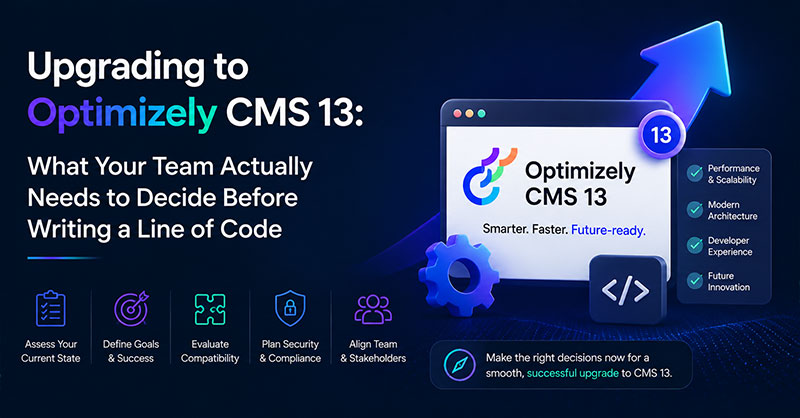
Upgrading to Optimizely CMS 13 looks like a version bump on paper. In practice, it’s a coordinated project across infrastructure, engineering, and editorial — and any of those three can quietly derail the timeline.
The usual culprits? Unaudited packages. An unscoped search migration. Editors who’ve never seen Visual Builder. A .NET 10 procurement queue that doesn’t move until three weeks after kickoff.
More developer hours won’t fix it.
What works is structured upgrade planning. Paired with the right automation, so your team can focus on what’s actually unique to your business.
That’s where Royal Cyber comes in.
We’ve built the OptiUpgrade Assistant — automation purpose-built for Optimizely migrations. It handles the predictable, repetitive work in the background. Your team handles the work that needs judgement. It’s the tooling enterprise CMS owners bring in when “on time” and “in scope” aren’t negotiable.
1. What Changed in Optimizely CMS 13: Five Updates That Redefine Your Stack
- .NET 10 is mandatory. Every package must be .NET 10 compatible before CMS 13 will run. If procurement needs lead time, the clock starts now — not at sprint kickoff.
- Optimizely Search & Navigation is gone. Not deprecated — removed. Any site using it (site search, content filtering, product search) needs a separate workstream to migrate to Optimizely Graph before cut-over.
- On-Page Edit is off by default. Visual Builder is the new editorial interface. Editors get live preview and drag-and-drop assembly — but workflows change on day one. Budget training before go-live.
- Optimizely Graph and Opti ID are mandatory. Both ship in every CMS 13 licence. Graph powers Content Manager, semantic search, and all Opal AI features. Opti ID is the new central authentication layer — SSO will need to be revisited.
- The Application Model replaces SiteDefinition. Primarily a developer concern, but it changes how your site is configured at a fundamental level. Our OptiUpgrade Assistant catches 220+ build-error categories here before they reach your sprint.
2. Why Postponing Costs More Than Upgrading
3. Readiness: Four Questions Before You Sign an SOW
4. The Timeline: What 60–70% Faster Actually Looks Like
5. Our CMS 13 Upgrade Service: A Three-Phase Delivery
Conclusion: CMS 13 Is a Strategic Decision, Not Just a Technical One
CMS 13 isn’t a version bump — it’s a platform shift. .NET 10, Visual Builder, Optimizely Graph, Opti ID, and a new application model all land at once. Handled well, it’s a clean step forward. Handled as a routine sprint, it’s the kind of project that quietly slips two quarters.
The difference is rarely the technology. It’s whether the team owning the upgrade has done it before.
Royal Cyber’s Optimizely practice has. The OptiUpgrade Assistant automates the 31 predictable migration steps and 220+ build-error patterns that consume most of a manual upgrade — so our architects can spend their time on the parts that actually need judgement: your custom code, your search migration, your editorial workflows, your release plan.
We don’t quote first. We scope first. And the first conversation is free.
Frequently Asked Questions
Optimizely CMS 13 reached General Availability on March 31, 2026. Any project starting after that date should plan for CMS 13 directly rather than upgrading through CMS 12 first.
You do not have to upgrade on day one — Optimizely will continue supporting CMS 12 for a defined window — but every new feature, every Opal AI capability, and every Optimizely Graph improvement now ships exclusively on CMS 13. The longer you wait, the more parallel features your team is locked out of, and the wider the eventual upgrade scope becomes.
For a typical CMS 12 site with 40–60 content types, a manual upgrade takes 6–8 weeks of developer time. With Royal Cyber’s OptiUpgrade Assistant automation, that drops to 3–4 weeks. The total elapsed timeline — including QA, Visual Builder training, and any search migration — is typically about 5 weeks end-to-end for a CMS 12 site. CMS 11 sites and sites using Search & Navigation will take longer.
Yes, but you cannot do the search migration inside the CMS 13 upgrade sprint. Search & Navigation has been removed entirely from CMS 13. Your team will need a separate, parallel workstream to migrate to Optimizely Graph before cut-over. Scope this as its own project, with its own timeline and budget.
OptiUpgrade Assistant is Royal Cyber’s proprietary automation toolchain for Optimizely upgrades. It runs 31 migration steps and auto-resolves more than 220 categories of build errors before they ever reach a developer’s sprint. It is the tooling that powers the 60–70% delivery acceleration our enterprise clients see on CMS 13 upgrades.
Royal Cyber is a certified Optimizely Gold Partner with a dedicated enterprise Optimizely practice and a track record of published migrations — including a CMS lift-and-shift for Novant Health, a 1,600-physician healthcare network. We combine senior solutions architects who have shipped Optimizely upgrades end-to-end with our OptiUpgrade Assistant automation toolchain. Our approach is scope-before-price: we start with a free 2-hour CMS 13 Upgrade Readiness Assessment, not a fixed quote.
Book a free 2-hour CMS 13 Upgrade Readiness Assessment with Royal Cyber. We will review your environment against the four readiness questions in this article and produce a risk-rated upgrade scope you can take into your next steering committee. Visit royalcyber.com/technologies/optimizely/ or write to info@royalcyber.com.
Agentforce and Microsoft Copilot Studio are the two dominant enterprise…
Read More »
Websites used to be something you built once and basically…
Read More »
Websites used to be something you built once and basically…
Read More »