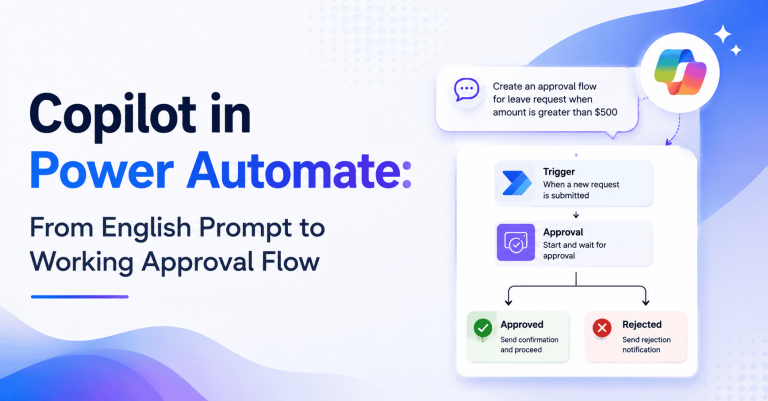
Copilot in Power Automate: From English Prompt to Working Approval Flow

June 4, 2026

Copilot in Power Automate: From English Prompt to Working Approval Flow
Copilot in Power Automate lets you describe an automation in plain English and get a working flow back. The connectors, actions, expressions, and approval logic are scaffolded for you. We have shipped Copilot-built flows for logistics, financial services, and healthcare customers, and the pattern is clear enough now to write down: what is real, what is not, and what it takes to roll this out without ending up with a new flavor of shadow IT.
Royal Cyber’s Power Platform practice runs this work end-to-end, from CoE setup to citizen-developer enablement.
Copilot in Power Automate
Planning your Copilot rollout?

What Copilot in Power Automate actually does

Copilot’s reach inside Power Automate breaks into three distinct capabilities, and it’s worth separating them because customers tend to over-index on the first one and underuse the other two.

End-to-End Flow Generation

Describe the automation in plain English and Copilot produces a working flow. Not a half-built one. A flow you can run.

In-Flow Suggestions

With a flow open, you can ask Copilot for the next step or for an expression. It is genuinely useful for the moments where you know what you want and just cannot remember the right syntax.

Documentation

Copilot will describe an existing flow in plain English. Handy for handover. Even handier for audit, when somebody asks what that flow built three years ago is doing and nobody on the team built it.

A Practical Walkthrough

The example flow: “When a new email arrives in the support inbox with the word ‘refund’ in the subject, create a Salesforce case, post in the #refund-requests Slack channel, and schedule a callback in Microsoft Bookings.”
Here is what Copilot gives you back:
  • Trigger: Outlook “When a new email arrives” with subject filter.
  • Action: Create record in Salesforce (Case object with fields populated from the email).
  • Action: Post message in the Slack channel.
  • Action: Create a Microsoft Bookings appointment.
We adjust the case fields (Copilot’s mapping is about 80% right, which means it almost always needs a tweak), wire in proper error handling, and add a duplicate-email check. Elapsed time: 20 to 30 minutes. The same flow built from scratch by an experienced developer takes 2 to 3 hours.
That is the headline result. The other stuff matters too, but that gap is what gets executives’ attention.

Where Copilot Shines

Some flow patterns are basically solved problems at this point. They show up across every customer, look roughly the same each time, and Copilot handles them well enough that the savings compound fast.
  • Approval flows. Document approval, expense approval, vacation request. These are common patterns and Copilot generates them cleanly.
  • Notification fan-out. A trigger event in one system fanning out to Teams, Slack, email, and a shared inbox. Tedious to wire up by hand. Trivial with Copilot.
  • Data sync. SharePoint list to a SQL table. CRM updates to a marketing platform. The kind of thing that has been on someone’s backlog for two years.

Where it doesn't

Honest assessment matters here, because the gap between marketing demos and production reality is where most Copilot rollouts run into trouble. Three areas still need human design judgment.
  • Complex orchestration. Multi-step flows with branching, compensation logic, and dynamic routing still need expert design. Copilot is not going to architect a service-broker pattern for you.
  • Custom connectors. Copilot does not know about your internal APIs unless you teach it. If half your automation depends on bespoke connectors, expect to do that teaching.
  • Production-grade error handling. Copilot produces happy paths. Retries, dead-lettering, human-in-the-loop, observability hooks: all of that needs to be added explicitly by someone who knows what they are doing.

Enterprise Governance

Enterprise Governance Stack
The three controls that turn Copilot from a productivity gimmick into an enterprise capability.
Governance is the difference between Copilot becoming a real enterprise capability and Copilot becoming a new source of shadow IT nobody owns. Three controls do most of the work, and we have not seen a successful rollout that skipped any of them.
  • Prompt library. Approved prompts tied to your organizational patterns. Without this, output drifts, reviews cannot scale, and you end up with twenty slightly different ways of doing the same approval flow.
  • Connector allow-list. Power Automate ships with hundreds of connectors. Not all of them belong in production. The CoE defines the allow-list.
  • Approval workflow. Copilot-generated flows land in a review environment. A pro developer signs off before anything is promoted to production. This is non-negotiable.

Adoption Playbook

Rolling Copilot out works best when it is sequenced. Move too fast and you skip governance; move too slow and the pilot loses momentum. The 60-day cadence below is what we run with most mid-market and enterprise customers, with some variation by team size.
  • Weeks 1-2. Enable Copilot for a pilot team. Identify three pilot patterns. Train two citizen developers and one pro developer.
  • Weeks 3-4. Build the prompt library. Define the review workflow. Roll out to a wider audience.
  • Weeks 5-6. Measure cycle time, defect rate, satisfaction. Tune the prompt library based on what you learn.
  • Weeks 7-8. Publish the governance pack, integrate the review workflow into your CoE process, and schedule a quarterly review.
Need help building the prompt library and review workflow?

What it Changes for Citizen Developers

Citizen developers, typically business analysts and ops leaders, can now build flows they previously could not. The barrier to entry drops. The result, if you govern it well, is more automations shipped per quarter with the same headcount. The result if you do not, is shadow automation that breaks silently and piles up technical debt nobody knows is there until something important fails.

What it Changes for Pro Developers

Pro developers use Copilot as a starting point. They scaffold flows in minutes, then add the production-grade pieces: error handling, observability, idempotency. Their effective output goes up. The time they spend on rote setup goes down. Most of the pro devs we have talked to like it. The good ones especially. They get to spend more time on the work that actually requires their judgment.

Metrics that Matter

Real numbers from a logistics customer three months after enabling Copilot.
Measuring a Copilot rollout is not optional, partly because leadership will ask, and partly because the wrong metrics will make a healthy program look like a failing one. Three numbers do most of the work.
  • Cycle time. Concept to production for a typical flow. Track before and after. This is the number leadership will care about.
  • Defect rate at review. Should stay comparable to your pre-Copilot baseline. Copilot does not produce worse code, but you need to verify that for your environment.
  • Adoption rate. Number of citizen developers using Copilot, and flows shipped per month. Watch the trend, not the absolute number.
Typical results we see: 40 to 50 percent cycle-time reduction, comparable defect rates, and 2 to 3 times more citizen-developer flows shipped per quarter.

Security Implications

Copilot doesn’t introduce fundamentally new security risks so much as it accelerates the ones already lurking in your Power Platform tenant. Three deserve attention before any broad rollout.
  • Prompt safety. Do not paste sensitive data into prompts. Train users on this early. It is the single most common mistake we see.
  • Connector authentication. Copilot suggests connectors but it does not authenticate them. Admins still wire credentials securely. That responsibility has not moved.
  • Data leakage. Power Automate flows can move data between connectors in ways nobody intended. CoE policy enforces what is allowed and what is not.

DLP Policies

Data loss prevention policies in the Power Platform admin center define which connectors can talk to each other. We always tighten DLP before a broad Copilot rollout. Without it, citizen developers can accidentally move sensitive data into consumer connectors. It happens more often than you would think.

Solution-Based Deployment

Treat Copilot-built flows the same as any other flow. Package them in Power Platform solutions. Source-control them. Deploy them through pipelines. Solutions move cleanly across dev, test, and prod environments. Skip this step and Copilot’s speed just turns into operational chaos faster.

A Real Customer Outcome

A logistics customer enabled Copilot for an ops team of 25 people. Before Copilot they were shipping 3 to 5 new flows per month. Three months in, they were shipping 18 to 22 per month. Most were simple but valuable. Pre-existing manual tasks that nobody had ever had time to automate.
Total time saved across the business: tracked monthly, consistently over 200 hours a month attributable to the new flows. That is not a productivity slide. That is a real number their CFO can audit.

Common Pitfalls

The failure patterns across Copilot rollouts are remarkably consistent, which is good news because it means they are also avoidable. Three show up over and over.
  • No DLP. Sensitive data exposure becomes inevitable, not possible.
  • Treating Copilot output as final. Always review. Always.
  • No metrics. You cannot justify the program internally if you cannot measure it.

Skills you need

The team composition required to run Copilot well is simpler than most enterprises expect, but the two roles involved have very different remits and need to be staffed deliberately.
  • Citizen developers. Business users who design and build flows. They need basic Power Automate concepts and a working knowledge of the prompt patterns.
  • Pro developers and CoE. They own governance, review, and the complex flows. They need full Power Automate skills plus the operating-model discipline to make all of this hold together.

Closing

Copilot in Power Automate genuinely changes who can build automation. With the right governance, it unleashes broad productivity. Without it, it creates a new class of shadow IT that takes years to clean up. The product is ready. The real question is whether your operating model is.

Royal Cyber sits at the intersection of Microsoft Power Platform expertise, enterprise automation strategy, and the day-to-day operating-model work it takes to make Copilot stick. Our Copilot for Power Automate Sprint is a six-week engagement that covers governance setup, prompt library, review workflow, and enablement for both citizen and pro developers. Customers typically see a 40 to 50 percent cycle-time reduction by the end of the sprint, and they keep seeing the gains because the operating model is built to last.

Explore Royal Cyber’s Microsoft Copilot solution to roll out Copilot in Power Automate with the governance, prompt libraries, and CoE discipline that turn early wins into lasting capability.


Ready to make Copilot work at enterprise scale?

Frequently Asked Questions

How accurate is the flow that Copilot actually generates from a plain-English prompt?
In our experience it is about 80 percent right on the first pass. That means triggers and actions are usually correct, but field mappings, error handling, and edge cases still need a human eye. Think of Copilot as a senior intern who scaffolds quickly. The reviewer is still the one shipping it.
We start by setting up the governance stack before broad rollout: prompt library, connector allow-list, DLP policies, and the review environment. Then we train your CoE to own it. The result is citizen developers who ship fast inside guardrails, instead of building things that quietly break six months later.
Not out of the box. Copilot has no awareness of your custom connectors unless you teach it through prompt patterns and documentation. Most enterprise rollouts include a discovery step where the CoE catalogs custom connectors and writes the prompt scaffolding so business users can call them by name.
Sixty days is the cadence we use for most mid-market and enterprise customers. Weeks 1 to 2 cover the pilot team, weeks 3 to 4 build the prompt library and review workflow, weeks 5 to 6 measure, and weeks 7 to 8 publish the governance pack. Anything faster usually skips the governance work and pays for it later.
Most consultancies treat this as a feature rollout. We treat it as an operating-model shift, because that is what Copilot really is. The sprint covers the governance pack, the review workflow, citizen and pro developer enablement, and metrics tracking. Customers typically see a 40 to 50 percent cycle-time reduction by week six, and the gains hold because the operating model holds.
Author
Zainab Batool

Content Writer

Subhasis Sahu

Technical Lead- Middleware

Talk To Our Experts

    [recaptcha]

    Recent Blogs
    copilot-azure-logic-apps-workflow-automation

    Websites used to be something you built once and basically…

    Read More »

    Websites used to be something you built once and basically…

    Read More »

    Websites used to be something you built once and basically…

    Read More »