Home > Blogs > Full Stack > Connecting the Dots: Shopify & Zendesk Integration with Bloomreach

April 11, 2025

Introduction
- Customer data becomes fragmented, leading to inconsistent personalization.
- Support teams lack the context needed to resolve issues quickly.
- Marketing campaigns miss the mark due to outdated or incomplete information.
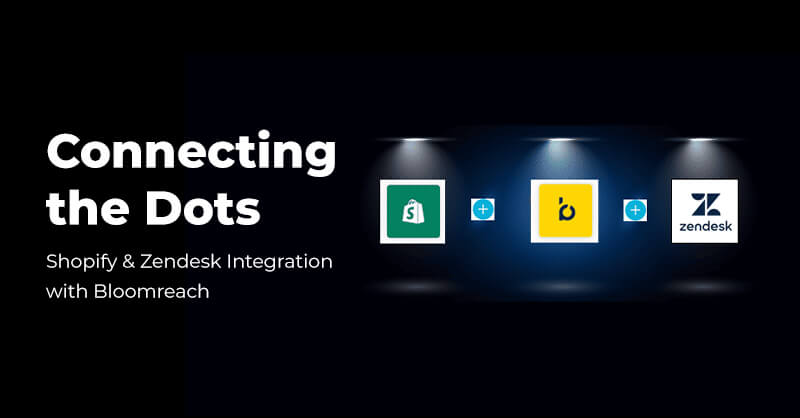
At Royal Cyber, we specialize in making the Shopify & Zendesk Integration with Bloomreach effortless. Our experts design and implement Bloomreach Shopify Integration, Zendesk and Shopify CRM Integration, and Shopify Helpdesk Integration so your teams gain a unified view of the customer journey. With streamlined eCommerce Customer Support Integration, you can engage customers at the right time, on the right channel, with the right message — while ensuring every support ticket or marketing campaign is backed by real-time, accurate data.
Problem Statement/Objective
The primary objectives of these implementations are to:
- Automate and personalize post-purchase communication flows for different products and customer segments (e.g., Labs projects, paddles, balls).
- Manage customer subscriptions and deliver content for various Client TV courses.
- Ensure accurate and synchronized customer consent status (Email and SMS) across Bloomreach and Shopify platforms.
- Recover potentially lost sales through targeted abandoned cart email sequences, including specific logic for paddle comparisons.
- Implement dynamic weblayers for newsletter sign-ups and course subscriptions.
- Notify customers when out-of-stock products become available.
- Manage the Client Labs membership application process and associated communications.
- Enrich customer profiles with data from Zendesk support interactions and UpPromote affiliate information.
Deliver personalized birthday offers.
Planning Phase
Each workflow (Scenario) is designed to address a specific customer journey touchpoint or business requirement. Planning was involved:
- Identifying Key Touchpoints: Recognizing critical points like purchase, cart abandonment, course subscription, consent changes, and support interactions.
- Defining Objectives: Setting clear goals for each scenario (e.g., send survey, sync consent, send reminder).
- Mapping Workflows: Designing the sequence of triggers, conditions, waits, and actions within Bloomreach scenarios.
- Integration Strategy: Determining how different platforms (Shopify, Zapier, Zendesk) would connect and exchange data with Bloomreach.
- Data Requirements: Identifying necessary data points (e.g., product IDs, consent status, timestamps, customer tags) and ensuring they are tracked or available.
Implementation Phases Steps and Configurations
Integrations Setup
Shopify:
Connected via the Official App in the Shopify App Store using generated tokens for Client Sport and Client Labs. Requires specific customer IDs (email_id, shopify_id, cart_id, cookie) to be set up in Bloomreach. Web integration achieved using Shopify Web Pixel, involving adding Bloomreach snippets and a dataLayer script to the theme.liquid file.

Zapier:
- Receiving Okendo review data via webhook and sending it to Bloomreach.
- Triggering from Jotform submissions (Labs Performance Survey, Labs Membership Application) and sending events/updates to Bloomreach and Shopify.
- Receiving data from Shopify flows (e.g., first-time order) and sending events to Bloomreach.

Zendesk:
Integrated via the Zendesk Marketplace App. Configuration involves setting up API keys, tokens, and a Managed Endpoint API in Bloomreach to display customer data in the Zendesk sidebar. Webhooks are configured in Zendesk to send ticket events (creation, closure) to Bloomreach. Historical Zendesk data was imported via XML export from a SQL database connection.

UpPromote:
Affiliate and coupon data imported via scheduled SQL queries from a database connected via SSH Tunnel to Bloomreach, populating specific catalogs.

Configurations
Post Purchase (Labs):
Triggered by purchase_item events with specific product IDs and domain. Uses wait nodes, consent checks (labs newsletter), and sends different emails based on the product purchased (instructional vs. survey).
Consent Sync (Shopify):
Uses _customer_change events and consent events as triggers. Compares timestamps between Shopify properties and Bloomreach consent events using Jinja snippets and aggregates. Updates consent status in the other system via Bloomreach event nodes or Shopify API webhooks (PUT requests).
Abandoned Cart:
Triggered by cart_update events. Includes checks for valid email and consent, A/B testing nodes, checks for specific product types (paddles) using Jinja snippets, waits, checks for subsequent purchases, and sends different email sequences based on cart contents and customer tags.
Back in Stock:
Uses custom watchdog_restock_initiated events (triggered via JavaScript on the product page when stock is 0). A scheduled flow compares products in the customer’s watchdog list (watchdog_restock_initiated attribute) against catalog stock levels. If stock meets the threshold, an email_trigger status event is fired, triggering the notification email flow. Products are removed from the list upon email sending or if the customer purchases the item.
Course:
Triggered by consent events generated from an embedded weblayer (specific course_handle value). Check for existing subscriptions, manage consents, and send daily course video emails after checking relevant consent status, using wait nodes between emails. Includes a resubscription flow.
WebLayer Configurations
Newsletter Pop-up:
Configured to appear on the first page view on www.client.com, but not on the cart page and not for customers who already have the Client_main consent. Reappears after 7 days if closed. Tracks consent event upon subscription.
Course Embedded Weblayer:
Embedded on specific course pages. Uses JavaScript to track consent events for both Client_tv_newsletter and the specific course category upon subscription.
Development Steps
Development primarily involved configuring Bloomreach scenarios, setting up integrations, and implementing custom JavaScript and Jinja code.
Key Development Elements
Bloomreach Scenarios:
Drag-and-drop interface used to build flows with nodes like Triggers (Events, Scheduled), Conditions (Checks on customer properties, aggregates, event attributes), Actions (Send Email, Webhook, Set Property, Add Event), Wait nodes, and AB Splits.
Jinja Snippets:
Used extensively within condition nodes and webhooks for complex logic, data manipulation, and comparisons.
- Consent Timestamp Comparison: Used in consent sync scenarios to determine if Shopify or Bloomreach has the latest update.
- Shopify Consent State Check: Used to check if the state property in Shopify consent data is “subscribed”.
- Product Checks (Purchase/Cart): Used in post-purchase and abandoned cart scenarios to check if specific products (e.g., paddles, Pro S1 balls) are present using catalog lookups and string matching.
- Payload Generation (Webhooks): Used to construct JSON payloads dynamically for API calls, e.g., updating Shopify customer consent or phone number.
- Price/Number Formatting: Snippets available for formatting numbers in product lists.
- Catalog Lookups: Snippets to retrieve and merge product data from catalogs based on IDs.
- Abandoned Cart URL Generation: Creates a direct link to the customer’s cart with items included.
JavaScript:
- Weblayers: Used within weblayers (Newsletter Pop-up, Course Embedded) to identify users (exponea.identify) and track consent events (exponea.track(‘consent’, …) upon form submission.
- Back-in-Stock: Added to product template files (product-template-full-width.liquid, potentially notify-sold-out.liquid) to capture email input and track the watchdog_restock_initiated event when a user subscribes for notifications on an out-of-stock item.
Aggregates:
Used to calculate values based on customer event history, such as the timestamp of the last consent event or the count of survey submissions.
Webhooks:
Used to send data to external systems (primarily Shopify API and Zapier webhooks) via PUT or POST requests. Include dynamic URLs and payloads constructed using Jinja.
Major Components Implementations
Back-in-Stock JS (Product Page):

Consent Sync Timestamp Check (Jinja):

Shopify Customer Update Webhook Payload (Jinja):

Abandoned Cart Item Block (Jinja):

Product Check Snippet (Jinja:

High-Level Solution Design or Architecture
The architecture revolves around Bloomreach Engagement as the central hub, orchestrating customer journeys based on data and events from integrated platforms:
Data Ingestion
- Shopify: Provides real-time customer, order, and cart updates via webhooks and the official app integration. Product catalogs are also synced. Frontend tracking (page views, item views) is enabled via Web Pixel.
- Zapier: Acts as an intermediary, receiving data from webhooks (Okendo, Shopify Flows, Jotform) and pushing structured events (okendo_review, labs_performance_survey, labs_membership_application) and customer updates to Bloomreach.
- Jotform: Submissions trigger Zapier flows.
- Weblayers (Bloomreach): Capture email addresses and trigger consent events directly within Bloomreach.
- Zendesk: Sends ticket-related events (via webhooks configured in Zendesk) to Bloomreach. Historical data imported separately.
- Custom JS: Tracks watchdog_restock_initiated events from product pages.
- Database (UpPromote): Data imported via scheduled SQL queries.
Processing & Orchestration
- Incoming events trigger specific Bloomreach scenarios.
- Scenarios utilize conditions (based on event data, customer properties, aggregates, catalog lookups), wait timers, and logic (Jinja snippets) to determine the workflow path.
- Actions include sending emails, updating customer properties, adding consent events, and triggering external actions via webhooks.
- Consent status is managed internally and synchronized with Shopify.
3. Data Egress/Actions
- Email Sends: Personalized emails are sent directly from Bloomreach based on scenario logic.
- Shopify API: Webhooks update customer records in Shopify (e.g., consent status, phone number, tags).
- Zapier: Can be triggered by Bloomreach webhooks if needed (though examples focus on Zapier -> BR).
- Zendesk: Customer data from Bloomreach can be displayed in the Zendesk sidebar via the Managed Endpoint API configured during integration setup. Bloomreach can potentially update Zendesk via webhooks.

Key Challenges & Resolutions
| Challenge | Description | Resolution |
|---|---|---|
| Data Synchronization Issues | Discrepancies in consent status or customer data between Bloomreach and Shopify due to timing issues, API errors, or conflicting updates. |
|
| Integration Point Failures | Failure due to API changes, auth issues, or unhandled formats. |
|
| Scenario Logic Complexity | Errors in Jinja, conditions, or branching may break flows. |
|
| Tracking Script Issues | Scripts for weblayers or tracking may break after theme changes. |
|
| Data Quality and Accuracy | Issues like missing emails, bad timestamps, or invalid IDs. |
|
| Scalability and Performance | Increased load may hit platform limits or slow processes. |
|
| Cross-Team Collaboration | Dependencies between teams and systems require clear coordination. |
|
Key Takeaways
- Comprehensive Automation: Bloomreach enables complex, multi-step automation across various customer lifecycle stages (acquisition, post-purchase, engagement, retention).
- Integration Power: Leveraging Shopify & Zendesk Integration with Bloomreach databases allows for data synchronization and triggering workflows based on events from multiple systems.
- Consent Management: Robust processes are in place to capture and synchronize customer consents (Email, SMS, specific newsletters) between key platforms, aiding compliance and targeted communication.
- Personalization: Using Jinja, aggregates, and conditional logic allows for personalized email content, product recommendations (implicitly through specific flows like paddle care/registration), and targeted offers (e.g., birthday vouchers).
- Data-Driven Decisions: A/B testing capabilities are built into scenarios like Abandoned Cart and Birthday emails to optimize performance.
Today’s shoppers expect more than transactions — they expect personalized, seamless, and responsive experiences. With the best Shopify Zendesk Integration Solution, you can bridge the gap between commerce, support, and marketing to deliver exactly that.
At Royal Cyber, we guide businesses on how to integrate Zendesk with Shopify for better support and move past disjointed systems into a future where every interaction feels personal and connected. Whether it’s boosting your support efficiency with Shopify Helpdesk Integration or supercharging customer engagement with a Shopify & Zendesk Integration with Bloomreach, our team ensures your platforms work together — so you can focus on growth.
Contributor
Nawaz Anjum
 Websites used to be something you built once and basically forgot about. That doesn’t work …Read More »
- Learn how to plan an Optimizely CMS 13 upgrade with .NET 10, Optimizely Graph, Visual …Read More »
- Learn how AI meeting notes automate summaries, action items, and insights from video meetings using …Read More »