


GCP Cloud Practice Lead
May 20, 2025

Efficiency and speed can make or break a business, which is why the role of automating deployment processes cannot be emphasized enough. To improve their infrastructure, reduce costs, and accelerate time to market, more and more businesses are today employing serverless, cloud-based solutions. But how is serverless automation, and why is it a game-changer for e-commerce businesses?
What is Serverless Automation?
Serverless automation refers to a paradigm in cloud, wherein server as well as infrastructure management is completely handled by the cloud provider. In this paradigm, organizations get an opportunity to concentrate on app development and deployment without concerning about the maintenance of underlying hardware as well as cumbersome configurations. Google Cloud, with its set of serverless tools, has a great solution to automate the entire software delivery pipeline, from code commit to live in production.
Its adoption is particularly helpful to e-commerce companies as it ensures the high-speed, high-reliability, and elastic operation of their deployment pipelines. This is vital in handling sporadic demand, especially during holiday sales or heavy periods such as Black Friday.
The Challenges of Traditional Deployment Models
The majority of online businesses still adhere to traditional deployment practices, which are costly, time-consuming, and error-prone. Some of the most frequent problems associated with traditional deployment models are elaborated below:
- Long Deployment Cycles: Organizations tend to have deployment cycles that take several days because of manual processes, which may delay the timely release of new features and updates. This adversely affects the organization’s quick response to market needs.
- Frequent Errors: Manual deployments and configurations tend to be error-heavy, and these errors may encompass incorrect server setups or omitted configurations. Such errors may result in website downtime, bad customer experience, and repair expenses.
- Scaling Issues: Legacy architecture might not be able to cope with unforeseen traffic spikes, resulting in poor performance and missed sales. Scaling resources manually is not only reactive but also inefficient.
- Expensive Infrastructure: The upkeep of an always-on infrastructure, even if it is not being actively used, can result in wasteful costs. Organizations pay for unused resources that are not being utilized to their maximum capacity.
- Lack of Visibility and Control: Manual deployment procedures will make it difficult to monitor changes, track performance, and be sure that everything will function perfectly. Lack of visibility might lead to delay if there is an issue.
The Benefits of Serverless Automation on Google Cloud
By using serverless automation, e-commerce companies are able to overcome the problems and realize various advantages that enable them to remain competitive in the marketplace:
- Increased Deployment Cycles: Serverless automation allows for deployments to be executed in minutes, not days. With the automated build, test, and deploy pipeline, e-commerce companies can reduce their time to market, deploying new features and updates more quickly and efficiently.
- Lower Error Rates: Automated deployment systems remove the manual errors that, in turn, lead to lesser failures, enhanced reliability, and increased website uptime. Everything combines to offer superior customer satisfaction as well as lower downtime or setup time.
- On-Demand Scalability: Google Cloud’s serverless platform scales up or down dynamically with demand. What this means is that during peak times such as holiday seasons or flash sales, the system will automatically adjust to the traffic peak, enabling customers to have an uninterrupted experience without any lag in performance.
- Cost Optimization: The most significant advantage of serverless computing is its pay-as-you-go model. Firms pay for what they use and not for an always-available infrastructure. This maximizes resource usage, reduces costs, and makes firms pay only for what they need.
- Enhanced Visibility and Traceability: Serverless automation provides improved monitoring and auditing. With automated pipelines, companies can monitor all changes and easily detect problems when they occur. This enhances operational transparency and enables teams to fix issues quicker.
How Google Cloud Makes It Easy: A Look at the Tools
Google Cloud has a set of tools that enable serverless automation to be easily implemented, especially for e-commerce companies. A glimpse at some of the main services that can streamline deployments is as follows:
- Google Cloud Functions: It’s a serverless computing service that runs code in response to events without having to provision infrastructure. It’s great for event-driven tasks such as triggering a deployment upon code commitment.
- Google Cloud Build: A managed CI/CD platform that builds, tests, and deploys applications automatically. It can integrate easily with tools such as GitHub to produce a fully automated pipeline.
- Google Cloud Pub/Sub: A messaging system that enables decoupling between the parts of your pipeline so that it is easier to handle processes asynchronously, e.g., triggering deployments after a successful build.
- Google Cloud Run: This product hosts containerized apps on a managed platform, scaling automatically with traffic. It’s ideal for hosting microservices or e-commerce applications that require instant scalability.
- Google Cloud Storage & Artifact Registry: These are storage solutions for build artifacts and Docker images that provide secure storage for all components, making them easily accessible when needed.
Flow Diagram

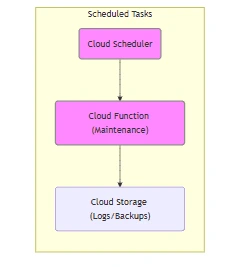
Architecture Diagram

Real-World Impact: Streamlining E-commerce Deployments
- Speed Up Product Releases: Provide new features and updates in a timely fashion, as driven by market forces and customer needs.
- Improve Operating Efficiency: Free up release engineering staff to focus on building innovative solutions instead of operating infrastructure.
- Scale Effortlessly: Beat rush hours without the inconvenience of infrastructure bottlenecks.
- Cost Savings: Reduce infrastructure-related expenses by only investing in resources consumed during active deployments.
Cost Analysis & Savings
| Category | Before | After |
|---|---|---|
| Deployment Time | Days | Minutes |
| Infrastructure Cost (40% Cost Saving) | 1,75,000 USD | 1,05,000 USD |
| Manual Effort | High | Minimal |
| Error Rate | Frequent | Reduced |
Conclusion
In the competitive e-commerce industry, the ability to rapidly deploy new features and scale infrastructure efficiently is critical to staying ahead. Serverless automation on Google Cloud offers a powerful, cost-effective solution that not only streamlines deployment processes but also improves reliability, scalability, and operational efficiency.
By adopting serverless technologies, e-commerce businesses can position themselves for growth, agility, and long-term success. As the market continues to shift, those embracing automation will be best positioned to deliver for tomorrow’s digital economy.
Author
Muhammad Ovais
 Websites used to be something you built once and basically forgot about. That doesn’t work …Read More »
- Websites used to be something you built once and basically forgot about. That doesn’t work …Read More »
- Websites used to be something you built once and basically forgot about. That doesn’t work …Read More »
